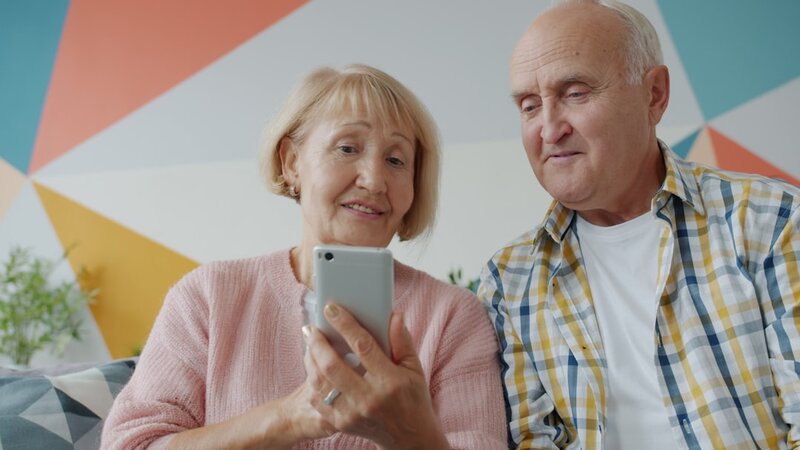
A smartphone can be one of the most useful tools you own — keeping you connected with family, helping you manage your health, and opening up a world of information and entertainment. Yet for many people who didn’t grow up with this technology, getting started can feel overwhelming. The good news is that you don’t need to master everything at once, and there’s more support available in Ireland than you might think.
TL;DR
- You don’t need to learn everything at once — start with calls, texts, and one or two apps that matter to you
- Both iPhone and Android phones can be set up with larger text, simplified home screens, and accessibility features
- Free smartphone training is available across Ireland through Age Action, ALONE, public libraries, and local ETBs
- Video calling (WhatsApp, FaceTime) is one of the most rewarding smartphone skills for staying connected with family
- Simple security habits — a strong passcode, keeping software updated, and never sharing codes via text — keep you safe
Why Bother with a Smartphone?
If you’ve been getting by with a basic phone — or even no phone at all — you might wonder what all the fuss is about. The truth is, smartphones have become central to how services are delivered in Ireland. From booking GP appointments online to accessing your MyGovID account, checking bus times with the TFI Live app, or simply video-calling grandchildren who live abroad, a smartphone opens doors that are increasingly difficult to open any other way.
Research from the Irish Longitudinal Study on Ageing (TILDA) consistently highlights the link between digital engagement and better mental wellbeing in later life. Being able to stay in touch, access information independently, and feel confident with technology all contribute to a stronger sense of autonomy and connection.
Choosing the Right Phone
You don’t need the newest or most expensive model. The two main types are:
- iPhone (Apple) — generally considered slightly more straightforward to set up. Good if family members also use iPhones, as FaceTime and iMessage work seamlessly.
- Android (Samsung, Google Pixel, etc.) — offers a wider range of prices and models. Many Android phones have an “Easy Mode” that simplifies the home screen with larger icons and text.
If you’re buying your first smartphone, consider visiting a phone shop in person — Three, Vodafone, and Eir stores across Ireland can help you handle the phone, compare sizes, and often offer pay-as-you-go options so you’re not locked into a contract. Tell them you’re looking for something straightforward, and don’t let anyone upsell you on features you won’t use.
Setting Up for Comfort
One of the first things worth doing is adjusting your phone’s settings so it’s comfortable to use. You’d be surprised how much difference a few tweaks make:
- Text size: Go to Settings > Display (or Accessibility) and increase the font size. There’s no prize for squinting.
- Brightness: Turn up the screen brightness or enable “auto-brightness” so it adjusts to your surroundings.
- Sound: Increase the ring volume and enable vibration so you don’t miss calls. You can also set different ringtones for different people.
- Simplified home screen: On Samsung phones, go to Settings > Display > Easy Mode. On iPhone, you can remove apps you don’t use by pressing and holding, then tapping “Remove App”.
If you have difficulty with vision or hearing, both iPhone and Android have built-in accessibility features — screen readers (VoiceOver on iPhone, TalkBack on Android), hearing aid compatibility, and magnification tools. These are found under Settings > Accessibility.
The Five Skills That Matter Most
Rather than trying to learn everything, focus on the skills that will make the biggest difference to your daily life:
1. Making and Receiving Calls
This works much the same as a regular phone. Save your most important contacts so you can find them quickly. Ask a family member to help you add names and numbers if the process feels fiddly.
2. Sending and Reading Text Messages
Texting is useful for quick messages when a call isn’t necessary. If typing on the small keyboard is difficult, try using the voice-to-text feature — tap the microphone icon on the keyboard and speak your message.
3. Video Calling
This is often the skill people find most rewarding. WhatsApp is the most widely used option in Ireland and works on both iPhone and Android. FaceTime is built into iPhones. Once set up, video calling is as simple as tapping a contact’s name and pressing the video icon. For grandparents, seeing a grandchild’s face while chatting makes all the difference.
4. Taking and Sharing Photos
Open the Camera app, point, and tap the round button. It’s genuinely that simple. To share a photo, open it in your gallery, tap the share icon (a square with an arrow), and choose how to send it — WhatsApp, text message, or email.
5. Using Useful Everyday Apps
Start with just one or two apps that are relevant to your life:
- WhatsApp — messaging and video calls with family and friends
- TFI Live — real-time public transport information across Ireland
- HSE app / MyGovID — accessing health services and government services online
- RTÉ Player — catch up on programmes you’ve missed
- Google Maps — directions when you’re out and about
Staying Safe on Your Smartphone
Security doesn’t need to be complicated. A few sensible habits go a long way:
- Set a passcode or use fingerprint/face unlock. This stops anyone accessing your phone if it’s lost or stolen.
- Keep your phone updated. When your phone suggests a software update, say yes — updates fix security gaps.
- Never share verification codes. Your bank or the HSE will never ask you to read out a code sent to your phone. If someone does, it’s a scam.
- Be cautious with links in texts. If a message asks you to click a link urgently — especially about deliveries, bills, or your bank — don’t tap it. Go to the website directly instead.
- Only download apps from the App Store (iPhone) or Google Play Store (Android). These are vetted for safety.
If you’re concerned about online scams more broadly, the National Cyber Security Centre (NCSC) and An Garda Síochána both publish practical advice. Críonna Health has also covered staying safe online and protecting yourself from financial scams in previous guides.
Free Training and Support in Ireland
You don’t have to figure it all out alone. There’s a wealth of free support available:
- Age Action — Getting Started KIT (Keeping In Touch): A free programme that pairs you with a volunteer who helps you learn to use your smartphone or tablet at your own pace. Available nationwide — contact Age Action on (01) 475 6989.
- ALONE: Offers technology support through its support line (0818 222 024) and can arrange one-to-one assistance for those who need it.
- Public libraries: Many libraries across Ireland run free digital skills workshops, including smartphone basics. Your local branch is a great place to ask.
- Education and Training Boards (ETBs): Local ETBs often run free or low-cost digital literacy courses, including smartphone skills for beginners.
- Vodafone Ireland Foundation: Runs digital skills programmes in partnership with ALONE to help older adults get connected.
- Family and friends: Don’t underestimate the value of asking someone you trust to sit beside you and walk through things. A patient grandchild can be the best teacher of all.
A Note on Patience — With Yourself
Learning something new at any age takes time, and there’s no shame in finding technology confusing. Even people who’ve used smartphones for years regularly discover features they didn’t know existed. The key is to start small, practise the things that matter to you, and build from there.
If you make a mistake — and you will — it’s almost always fixable. You won’t “break” the phone by tapping the wrong thing. Give yourself the same patience you’d give to anyone else learning a new skill.
At Críonna Health, we believe that digital confidence is a cornerstone of healthy ageing. Being able to connect with loved ones, access services, and engage with the world around you — on your own terms — is something everyone deserves, regardless of when they first picked up a smartphone.
📷 Photo by Vitaly Gariev on Unsplash