Technology has a reputation for being a young person’s game. But the truth is, some of the most useful digital tools available today were designed with accessibility, simplicity, and everyday practicality at their core. Whether you are looking to stay in touch with family, manage your health, or simply make daily routines a little easier, the right app or device can make a genuine difference.
This guide focuses on what actually works well for older adults in Ireland in 2026, with honest recommendations and practical tips for getting started.
TL;DR
- Tablets (especially iPads) tend to be the most accessible starting device for older adults new to technology
- Health apps like the HSE app and MyGov.ie simplify access to Irish public services
- Video calling apps keep families connected, with WhatsApp and FaceTime being the easiest to learn
- Personal safety devices have evolved well beyond the old panic button, now offering fall detection and GPS
- Free digital skills classes are available through Age Action, libraries, and community centres across Ireland
Choosing the Right Device
Before diving into apps, the device itself matters. The best technology in the world is useless if the screen is too small to read or the interface feels confusing.
Tablets are often the best starting point. The screen is large enough to read comfortably, the touch interface is intuitive, and they are lighter than laptops. The Apple iPad remains a strong choice thanks to its accessibility features (text size, voice control, magnifier) and the straightforward App Store. Samsung tablets running Android are a good alternative, particularly for those who already use a Samsung phone.
Smartphones are essential for staying connected on the go. If simplicity is the priority, look at phones with “easy mode” or simplified launchers. Samsung phones have a built-in Easy Mode that enlarges icons and simplifies the home screen. The Doro range of phones is specifically designed for older adults, with clear buttons and an emergency call feature.
Laptops are better for people who want to write emails, manage documents, or browse extensively. A Chromebook can be a good option: they are affordable, start up quickly, and require minimal maintenance since everything runs through the Chrome browser.
Staying Connected
Staying in touch with family and friends is consistently the number one reason older adults embrace technology, and rightly so. Social connection is one of the strongest predictors of healthy ageing.
WhatsApp remains the most popular messaging app in Ireland. It handles texts, photos, voice messages, and video calls all in one place. The interface is clean, and most family members are likely already using it. Group chats are a wonderful way to stay part of daily family life, even when distance is a factor.
FaceTime (for Apple users) is arguably the simplest video calling experience available. If your family uses iPhones or iPads, a video call is quite literally one tap away. The quality is excellent and it requires no account setup beyond having an Apple device.
Zoom has become the standard for group calls and is widely used by community groups, book clubs, and organisations like Active Retirement Ireland for virtual meetups. It takes a little more getting used to than FaceTime, but once you have joined a few calls, it becomes second nature.
Health and Wellbeing Apps
Managing health is another area where the right app can genuinely improve quality of life.
The HSE App gives you access to your medical records, vaccination history, and GP visit card information. It is the official app from Ireland’s Health Service Executive and connects to services you may already use.
MyGov.ie (formerly MyWelfare) lets you access a range of government services online, including checking your State Pension contributions, applying for benefits, and managing medical card renewals. Having this on a tablet saves trips to the local office.
Medisafe is a medication reminder app that sends alerts when it is time to take your medicines. You can set up multiple medications with different schedules, and it tracks whether you have taken each dose. For anyone managing several prescriptions, this can be genuinely helpful.
Strava or MapMyWalk are good for tracking walks and exercise. They record your route, distance, and pace, which can be motivating and useful for sharing with a GP or physiotherapist. Walking is the most recommended form of exercise for adults over 50, and seeing your progress mapped out can be a real encouragement.
Personal Safety Devices
Personal safety technology has come a long way from the basic pendant alarm. Modern devices are discreet, capable, and connected.
Personal alarms with fall detection are now available from several Irish providers, including ALONE, Age Action, and private companies like HomeGuard and Careline. These devices automatically detect falls and alert a monitoring centre or family member, even if you cannot press the button yourself.
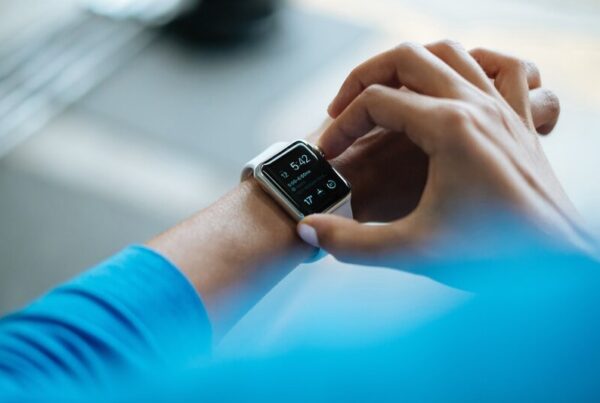
The Apple Watch deserves a mention here. Its fall detection feature is well-proven, and it can automatically call emergency services if it detects a hard fall and you do not respond within a set time. It also tracks heart rate, can take an ECG reading, and monitors activity levels. It is more expensive than a dedicated personal alarm, but if you are already in the Apple ecosystem, it does the job of several devices in one.
Smart speakers like Amazon Echo or Google Nest can be surprisingly useful, particularly for those with limited mobility or vision difficulties. Setting reminders, making phone calls, listening to the radio or audiobooks, and checking the weather are all done by voice. “Alexa, call Mary” is as simple as it gets.
Managing Finances
Online banking can feel daunting at first, but Irish banks have invested heavily in making their apps accessible.
AIB, Bank of Ireland, and Permanent TSB all have mobile apps with biometric login (fingerprint or face), which means no more remembering complex passwords. Setting up is easiest done in-branch, where staff can walk you through the process on your own device.
Revolut has become popular across all age groups in Ireland. It is particularly handy for sending money to family members instantly and for managing spending when travelling. The app is well-designed, though it does have more features than most people need, so sticking to the basics is perfectly fine.
Learning and Entertainment
RTÉ Player lets you catch up on Irish television programmes you may have missed. It is free and works on tablets, phones, and smart TVs.
BorrowBox is a brilliant free service from Irish public libraries. With your library card, you can borrow eBooks and audiobooks directly to your device. No need to visit the library (though that remains a lovely thing to do). The selection includes new releases and a solid Irish interest section.
Duolingo is worth a mention for anyone interested in brushing up on Irish, or learning any other language. The bite-sized daily lessons are well-suited to dipping in and out, and learning something new is one of the best things you can do for cognitive health.
Getting Started and Getting Help
If all of this feels like a lot, remember that you do not need to learn everything at once. Start with one thing that would genuinely improve your day — whether that is video-calling the grandchildren, ordering the weekly shop, or listening to audiobooks in bed.
Free help is available across Ireland:
- Age Action’s Getting Started programme offers one-to-one digital skills training with a volunteer, tailored to your pace and interests
- Your local library often runs free technology classes for beginners
- ALONE provides technology support through their support line (0818 222 024)
- ETB adult education centres run digital literacy courses, many of them free
There is no shame in asking for help, and there is no such thing as a silly question when it comes to technology. The people running these programmes have heard every question imaginable and are genuinely delighted to help.
At Críonna Health, we believe that technology should make life easier, not more complicated. The tools in this guide are a starting point. Pick one, give it a go, and see how it fits into your routine. You might be surprised how quickly it becomes second nature.
📷 Photo by Vitaly Gariev on Unsplash